Black Forest Labs model

FLUX.2 Klein 9B Hardware Requirements & Server Compatibility

FLUX.2 Klein 9B is a current Black Forest Labs release for interactive text-to-image generation and multi-reference editing. The pinned repository contains approximately 52.864GB of model weights. Our 64GB on one GPU figure is a calculated memory screen, while 96GB on one GPU is the safer starting allowance for deployment testing.

Model version
black-forest-labs/FLUX.2-klein-9B
Family and variant
FLUX.2 Klein · 9B
Source version
92196c8e11f7
Source updated
24 February 2026
Black Forest Labs FLUX.2 Klein 9B black-forest-labs/FLUX.2-klein-9B
Minimum GPU memory
64GB on one GPU
Recommended hardware
96GB on one GPU
Licence
FLUX Non-Commercial License
Useful for
Image generation
Memory compatibility is a sizing guide. Test the exact model version and workload before choosing hardware.

Buyer verdict

Where FLUX.2 Klein 9B is a sensible fit

Shortlist FLUX.2 Klein 9B when interactive text-to-image generation and multi-reference editing is the priority and the exact licence and runtime suit the organisation. Choose hardware from the recommended allowance, then measure quality and performance on representative work before purchase.

These figures apply to the named model version. Quantisation, fine-tuning, context length, image resolution, batch size and serving software can materially change the hardware needed.

Hardware requirements

Minimum
64GB on one GPU
Recommended
96GB on one GPU

This allowance is derived from the pinned artifact and leaves only limited runtime headroom.

This working allowance creates room for runtime allocations and representative workload testing; it is not a performance benchmark.

Technical specification

FLUX.2 Klein 9B model and hardware facts

Specifications shown for source version 92196c8e11f7b6cf2b7493e037d8c5345c559216, updated 24 February 2026.

Architecture
9B rectified-flow transformer pipeline
Parameters
9B transformer plus pipeline components
Context
Prompt and reference-image limits depend on the pipeline
Architecture ceiling; serving capacity requires testing
Modalities
Text + reference images → image
Repository weights
52.864GB
Pinned first-party repository file total
Native format
BF16 safetensors pipeline

Product compatibility

FLUX.2 Klein 9B compatibility across all 11 GPU systems

Systems that fit without model splitting
7
Systems needing multi-GPU validation
0

A system is listed as fitting when its GPU memory meets the requirement shown above. Speed, usable context, batch size and concurrent users still need testing with the final model and software configuration.

Best larger-system route

Studio 96

1 GPUs · 96GB

The smallest system in the range that reaches this model's preferred working allowance.

Explore Studio 96

sme workstation

Team 32

Larger-memory system recommended
Per GPU
32GB
Total GPU memory
32GB
GPU count
1

This system provides 32GB per GPU and 32GB in total. The model requires 64GB on one GPU.

For this model, explore Studio 96 .

sme workstation

Company 64

Larger-memory system recommended
Per GPU
32GB
Total GPU memory
64GB
GPU count
2

This system provides 32GB per GPU and 64GB in total. The model requires 64GB on one GPU.

For this model, explore Studio 96 .

sme workstation

Studio 96

Recommended memory route
Per GPU
96GB
Total GPU memory
96GB
GPU count
1

Also meets this model page's recommended working allowance.

Available GPU memory exceeds the calculated or estimated requirement. Confirm the final precision, software, workload and performance before purchase.

sme workstation

Studio 192

Recommended memory route
Per GPU
96GB
Total GPU memory
192GB
GPU count
2

Also meets this model page's recommended working allowance.

Available GPU memory exceeds the calculated or estimated requirement. Confirm the final precision, software, workload and performance before purchase.

pcie rack

Value Rack 128

Larger-memory system recommended
Per GPU
32GB
Total GPU memory
128GB
GPU count
4

This system provides 32GB per GPU and 128GB in total. The model requires 64GB on one GPU.

For this model, explore Studio 96 .

pcie rack

Value Rack 256

Larger-memory system recommended
Per GPU
32GB
Total GPU memory
256GB
GPU count
8

This system provides 32GB per GPU and 256GB in total. The model requires 64GB on one GPU.

For this model, explore Studio 96 .

pcie rack

Enterprise 384

Recommended memory route
Per GPU
96GB
Total GPU memory
384GB
GPU count
4

Also meets this model page's recommended working allowance.

Available GPU memory exceeds the calculated or estimated requirement. Confirm the final precision, software, workload and performance before purchase.

pcie rack

Enterprise 768

Recommended memory route
Per GPU
96GB
Total GPU memory
768GB
GPU count
8

Also meets this model page's recommended working allowance.

Available GPU memory exceeds the calculated or estimated requirement. Confirm the final precision, software, workload and performance before purchase.

pcie rack

H200 1.1TB

Recommended memory route
Per GPU
141GB
Total GPU memory
1,128GB
GPU count
8

Also meets this model page's recommended working allowance.

Available GPU memory exceeds the calculated or estimated requirement. Confirm the final precision, software, workload and performance before purchase.

frontier partner

Frontier Native 2.3TB

Recommended memory route
Per GPU
288GB
Total GPU memory
2,304GB
GPU count
8

Also meets this model page's recommended working allowance.

Available GPU memory exceeds the calculated or estimated requirement. Confirm the final precision, software, workload and performance before purchase.

frontier partner

Frontier Rack 20TB

Recommended memory route
Per GPU
288GB
Total GPU memory
20,736GB
GPU count
72

Also meets this model page's recommended working allowance.

Available GPU memory exceeds the calculated or estimated requirement. Confirm the final precision, software, workload and performance before purchase.

Deployment reality

Strengths, limits and runtime route

What it is good at

  • Text-to-image and reference-led editing in one model family.
  • 9B transformer for higher-capacity Klein workflows.
  • Official Diffusers examples.
  • CPU offload is documented for constrained environments.

Where to be cautious

  • The public model licence does not permit ordinary commercial use.
  • Pipeline memory depends on encoders, reference images, resolution and offload.
  • Repository weight size does not include every runtime allocation, KV cache, media encoder, batch or concurrent session.
  • No GPU Servers benchmark result is claimed until this exact revision has been run under disclosed test conditions.

Serving software

  • Diffusers
  • ComfyUI

Before installation

  1. Use source version 92196c8e11f7b6cf2b7493e037d8c5345c559216 rather than an unversioned latest branch.
  2. Start with Diffusers only after checking support for the exact architecture and numerical format.
  3. Use 96GB on one GPU as the procurement starting point; the lower figure is a minimum-memory screen, not a service-level promise.
  4. Record precision, context, batch, concurrency, container digest, driver and measured latency in the acceptance report.

System requirements

GPU layout
The minimum is screened against one GPU. Additional GPUs provide replicas or throughput unless the chosen runtime supports model parallelism.
Context and cache
Prompt and reference-image limits depend on the pipeline. Context length, KV cache, batch and concurrent sessions must be tested together; the architecture limit is not a throughput guarantee.
System RAM
Plan system RAM above the 52.864GB repository-weight footprint where model staging or CPU offload is required.
Storage
Reserve at least 133GB for the pinned weights, runtime cache and one rollback copy; production datasets and logs are additional.
Serving software
First-party material names Diffusers, ComfyUI. Pin the serving version and container digest because support for recent architectures can change quickly.
Representative workload
Acceptance-test interactive text-to-image generation and multi-reference editing at the intended quality, context, batch, concurrency and response-time target.

Performance: speed, usable context and concurrency depend on the selected system, software and workload. No benchmark is quoted on this page.

Commercial and legal boundary

FLUX Non-Commercial License

Commercial use: restricted

The official 9B checkpoint is for non-commercial use. A commercial deployment needs a separately authorised route.

Always retain the applicable notices and recheck the live terms for the intended organisation, territory, use and distribution route. Obtain legal advice where required; the official licence governs use.

Read the official licence

Official sources

Technical questions

FLUX.2 Klein 9B deployment FAQ

What GPU memory does FLUX.2 Klein 9B need?

Use 64GB on one GPU as the lower memory screen and 96GB on one GPU as the safer starting allowance. The final requirement changes with runtime, context, batch, concurrency and precision.

Which GPU Servers product should I start with for FLUX.2 Klein 9B?

Use the compatibility table to find systems that meet the recommended allowance. A system that only meets the minimum can load the model in principle but may not meet the required context or response time.

Can FLUX.2 Klein 9B be used commercially?

The official 9B checkpoint is for non-commercial use. A commercial deployment needs a separately authorised route. The linked official licence is authoritative; legal advice may be appropriate for the intended use and distribution route.

What a complete FLUX.2 Klein 9B deployment needs

GPU memory is only one part of the system. Storage, data access, serving software, monitoring and administrator handover also affect a reliable deployment.
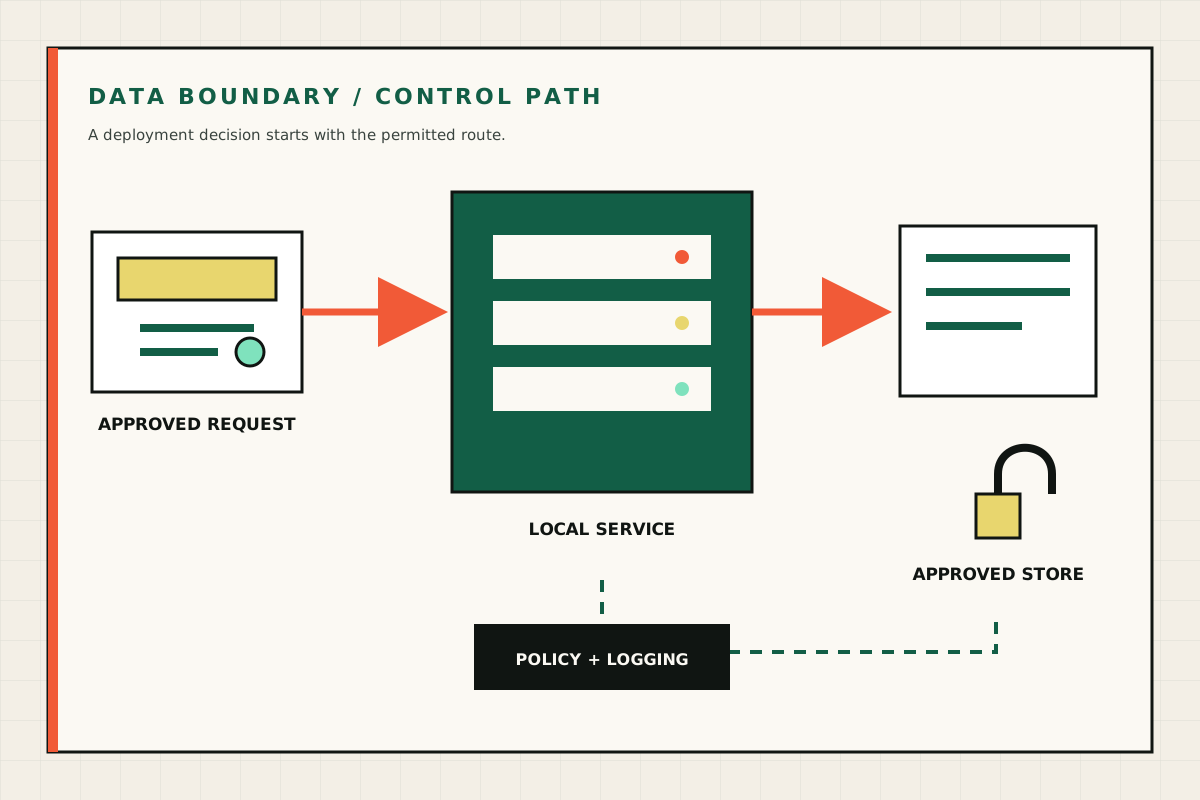
Diagram showing an approved request, a local service, an approved store and a policy-controlled data path
A private deployment starts with the permitted data path, access policy and logging boundary. GPU Servers technical illustration.
GPU server remote management dashboard with system status, access logs and sensor monitoring panels
Supplier screenshot of the platform management interface. The final management features and access policy depend on the ordered system. OEM supplier reference image.
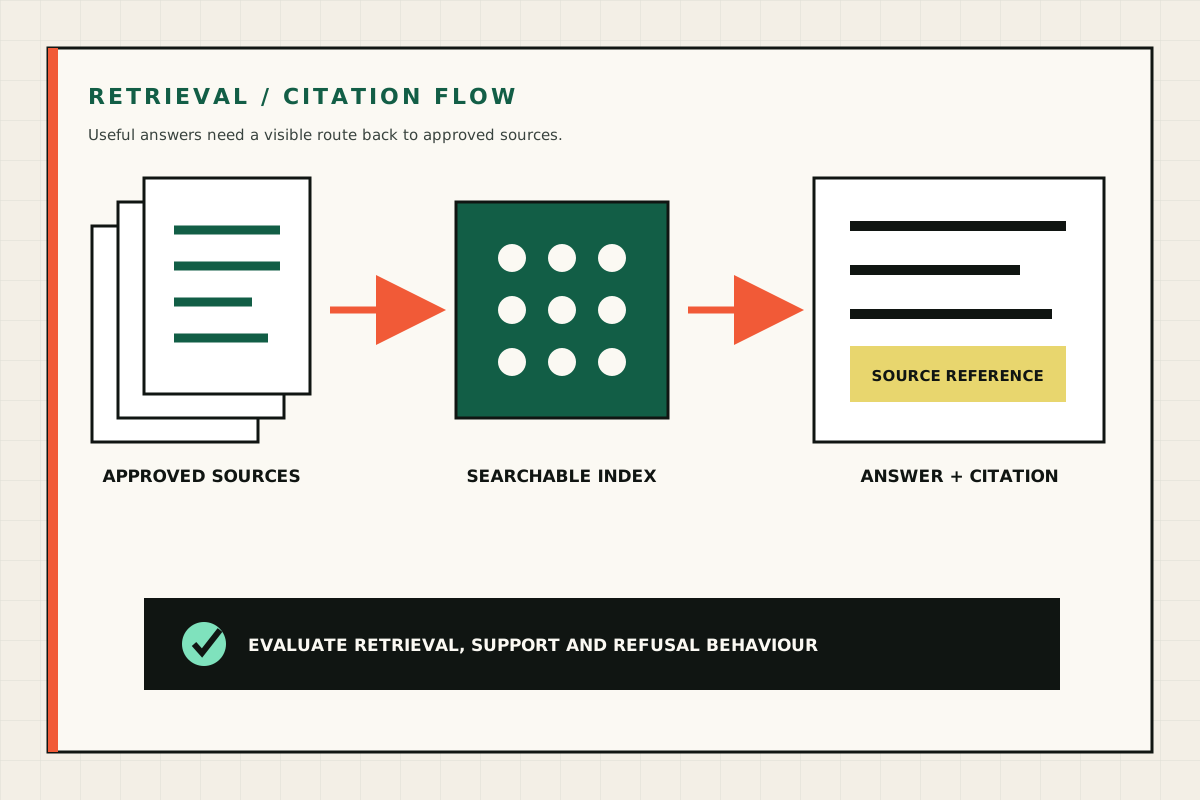
Diagram showing approved documents moving through a searchable index to an answer with a source citation
A retrieval workflow should connect each useful answer to approved source material and defined refusal behaviour. GPU Servers technical illustration.
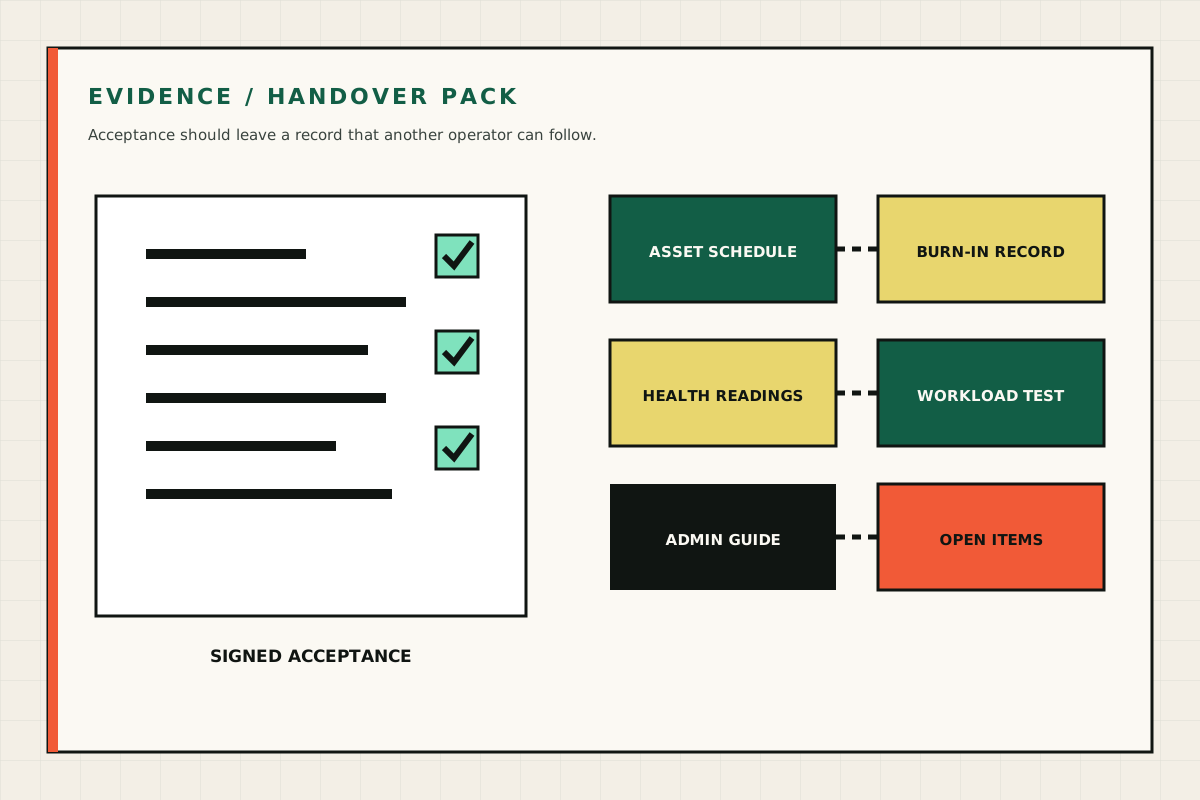
Diagram of an evidence pack containing an asset schedule, burn-in record, health readings, workload test and admin guide
A complete handover includes the supplied assets, test results, operating instructions and agreed follow-up work. GPU Servers technical illustration.