OpenAI model

GPT-OSS 120B Hardware Requirements & Compatibility

OpenAI states that GPT-OSS 120B fits on one 80GB GPU. In this range, Studio 96 is the first straightforward single-GPU product; 32GB products are appropriate for GPT-OSS 20B rather than the named 120B checkpoint.

Model version
openai/gpt-oss-120b
Family and variant
GPT-OSS 120B · gpt-oss-120b
Source version
b5c939de8f75
Source updated
26 August 2025
OpenAI GPT-OSS 120B openai/gpt-oss-120b
Minimum GPU memory
One 80GB GPU
Recommended hardware
One 96GB GPU for additional operating headroom
Licence
Apache License 2.0
Useful for
Language & reasoning, Coding & agents
Memory compatibility is a sizing guide. Test the exact model version and workload before choosing hardware.

Buyer verdict

Where GPT-OSS 120B is a sensible fit

GPT-OSS 120B is well suited to tool use, structured outputs, reasoning and fine-tuning where Apache licensing and a one-80GB-GPU deployment are important.

These figures apply to the named model version. Quantisation, fine-tuning, context length, image resolution, batch size and serving software can materially change the hardware needed.

Hardware requirements

Minimum
One 80GB GPU
Recommended
One 96GB GPU for additional operating headroom

OpenAI documents this as the serving target for GPT-OSS 120B.

Context and concurrency still determine usable service capacity.

Technical specification

GPT-OSS 120B model and hardware facts

Specifications shown for source version b5c939de8f754692c1647ca79fbf85e8c1e70f8a, updated 26 August 2025.

Architecture
MoE, 117B total / 5.1B active
Context
131,072 tokens
Native format
MXFP4 MoE weights
Official GPU floor
One 80GB GPU
Response format
Harmony
Licence
Apache 2.0

Product compatibility

GPT-OSS 120B compatibility across all 11 GPU systems

Systems that fit without model splitting
7
Systems needing multi-GPU validation
0

A system is listed as fitting when its GPU memory meets the requirement shown above. Speed, usable context, batch size and concurrent users still need testing with the final model and software configuration.

Best larger-system route

Studio 96

1 GPUs · 96GB

The smallest system in the range that reaches this model's preferred working allowance.

Explore Studio 96

sme workstation

Team 32

Larger-memory system recommended
Per GPU
32GB
Total GPU memory
32GB
GPU count
1

This system provides 32GB per GPU and 32GB in total. The model requires 80GB on one GPU.

For this model, explore Studio 96 .

sme workstation

Company 64

Larger-memory system recommended
Per GPU
32GB
Total GPU memory
64GB
GPU count
2

This system provides 32GB per GPU and 64GB in total. The model requires 80GB on one GPU.

For this model, explore Studio 96 .

sme workstation

Studio 96

Recommended memory route
Per GPU
96GB
Total GPU memory
96GB
GPU count
1

Also meets this model page's recommended working allowance.

Available GPU memory exceeds the model developer's published requirement. Confirm speed, context, batch size and concurrent users before purchase.

sme workstation

Studio 192

Recommended memory route
Per GPU
96GB
Total GPU memory
192GB
GPU count
2

Also meets this model page's recommended working allowance.

Available GPU memory exceeds the model developer's published requirement. Confirm speed, context, batch size and concurrent users before purchase.

pcie rack

Value Rack 128

Larger-memory system recommended
Per GPU
32GB
Total GPU memory
128GB
GPU count
4

This system provides 32GB per GPU and 128GB in total. The model requires 80GB on one GPU.

For this model, explore Studio 96 .

pcie rack

Value Rack 256

Larger-memory system recommended
Per GPU
32GB
Total GPU memory
256GB
GPU count
8

This system provides 32GB per GPU and 256GB in total. The model requires 80GB on one GPU.

For this model, explore Studio 96 .

pcie rack

Enterprise 384

Recommended memory route
Per GPU
96GB
Total GPU memory
384GB
GPU count
4

Also meets this model page's recommended working allowance.

Available GPU memory exceeds the model developer's published requirement. Confirm speed, context, batch size and concurrent users before purchase.

pcie rack

Enterprise 768

Recommended memory route
Per GPU
96GB
Total GPU memory
768GB
GPU count
8

Also meets this model page's recommended working allowance.

Available GPU memory exceeds the model developer's published requirement. Confirm speed, context, batch size and concurrent users before purchase.

pcie rack

H200 1.1TB

Recommended memory route
Per GPU
141GB
Total GPU memory
1,128GB
GPU count
8

Also meets this model page's recommended working allowance.

Available GPU memory exceeds the model developer's published requirement. Confirm speed, context, batch size and concurrent users before purchase.

frontier partner

Frontier Native 2.3TB

Recommended memory route
Per GPU
288GB
Total GPU memory
2,304GB
GPU count
8

Also meets this model page's recommended working allowance.

Available GPU memory exceeds the model developer's published requirement. Confirm speed, context, batch size and concurrent users before purchase.

frontier partner

Frontier Rack 20TB

Recommended memory route
Per GPU
288GB
Total GPU memory
20,736GB
GPU count
72

Also meets this model page's recommended working allowance.

Available GPU memory exceeds the model developer's published requirement. Confirm speed, context, batch size and concurrent users before purchase.

Deployment reality

Strengths, limits and runtime route

What it is good at

  • Official single-80GB-GPU deployment statement.
  • Configurable reasoning effort and agentic tool-use support.
  • Apache 2.0 licence and official reference implementations.
  • OpenAI-compatible serving routes through vLLM and other supported tools.

Where to be cautious

  • The Harmony response format is required for correct operation.
  • Reasoning traces are not intended to be shown directly to end users.
  • An 80GB fit statement does not include every context, concurrency or fine-tuning case.
  • Repository files contain several representations, so summing the entire repository overstates the serving artefact.

Serving software

  • vLLM
  • Transformers
  • Ollama
  • llama.cpp
  • OpenAI reference implementation

Before installation

  1. Use the official Harmony format and a runtime release that explicitly supports GPT-OSS.
  2. Treat the 80GB statement as a minimum for serving and reserve space for the real context and concurrency target.
  3. Use GPT-OSS 20B for the 32GB product tier when its quality is sufficient.
  4. Fine-tuning has a different memory profile from inference and needs its own plan.

System requirements

GPU layout
The minimum can fit on one GPU; multiple GPUs may still be useful for replicas or throughput.
Context and cache
The model context ceiling is not a guaranteed serving target. KV cache, batch size and concurrent sessions need separate capacity tests.
System RAM
Size system memory for model loading, runtime overhead, preprocessing and any CPU offload used by the final configuration.
Storage
Allow space for the pinned checkpoint, runtime images, caches, logs and at least one rollback version.
Serving software
Validate the exact checkpoint with vLLM, Transformers, Ollama, llama.cpp, OpenAI reference implementation before acceptance.
Representative workload
Benchmark representative prompts or media at the required context, quality, latency and concurrency.

Performance: speed, usable context and concurrency depend on the selected system, software and workload. No benchmark is quoted on this page.

Commercial and legal boundary

Apache License 2.0

Commercial use: permitted

Apache 2.0 permits commercial use subject to notices and the intended application's obligations.

Always retain the applicable notices and recheck the live terms for the intended organisation, territory, use and distribution route. Obtain legal advice where required; the official licence governs use.

Read the official licence

Official sources

Technical questions

GPT-OSS 120B deployment FAQ

Which product can run GPT-OSS 120B on one GPU?

Studio 96 is the first product in the range with more than the official 80GB GPU floor.

Can Team 32 run GPT-OSS?

Team 32 is better matched to GPT-OSS 20B. A third-party 120B conversion is a different model version and should not be described as the official 120B release.

Can GPT-OSS 120B be fine-tuned on the same server?

OpenAI documents fine-tuning routes, but training memory differs from inference. The method, optimiser, sequence length and adapter or full-weight scope must be sized separately.

What a complete GPT-OSS 120B deployment needs

GPU memory is only one part of the system. Storage, data access, serving software, monitoring and administrator handover also affect a reliable deployment.
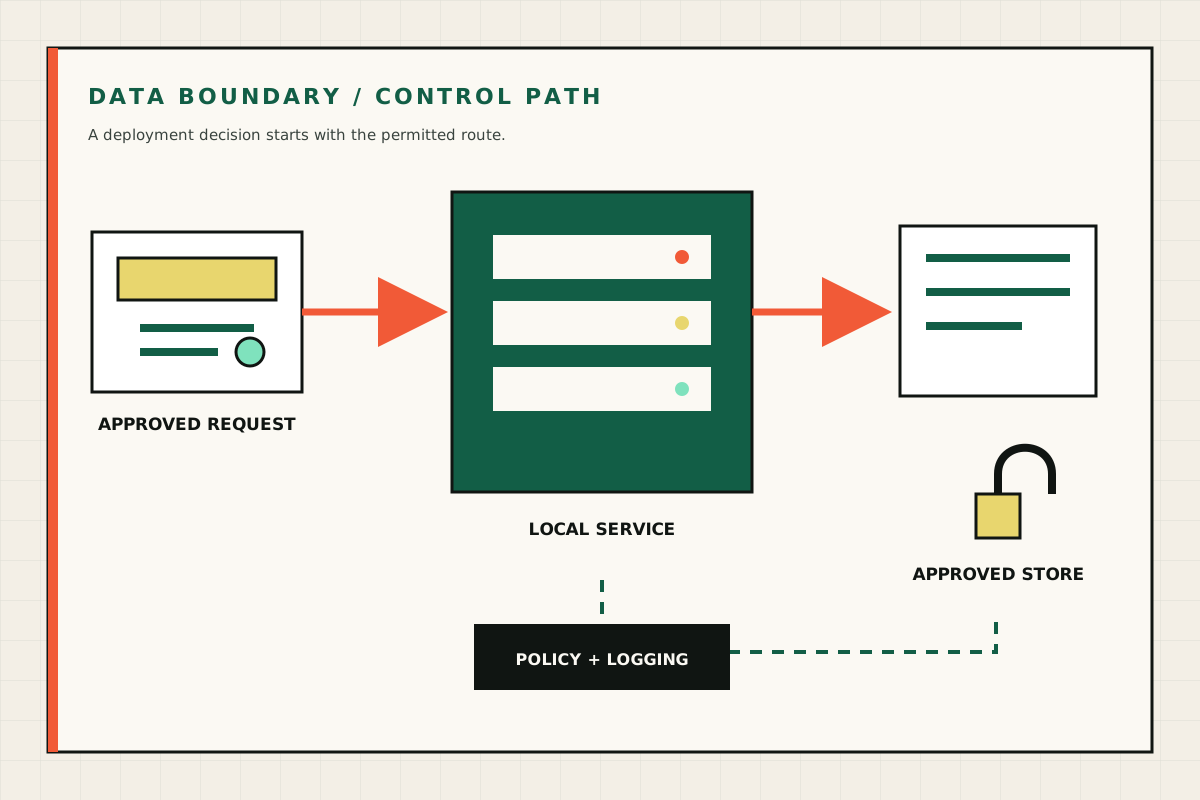
Diagram showing an approved request, a local service, an approved store and a policy-controlled data path
A private deployment starts with the permitted data path, access policy and logging boundary. GPU Servers technical illustration.
GPU server remote management dashboard with system status, access logs and sensor monitoring panels
Supplier screenshot of the platform management interface. The final management features and access policy depend on the ordered system. OEM supplier reference image.
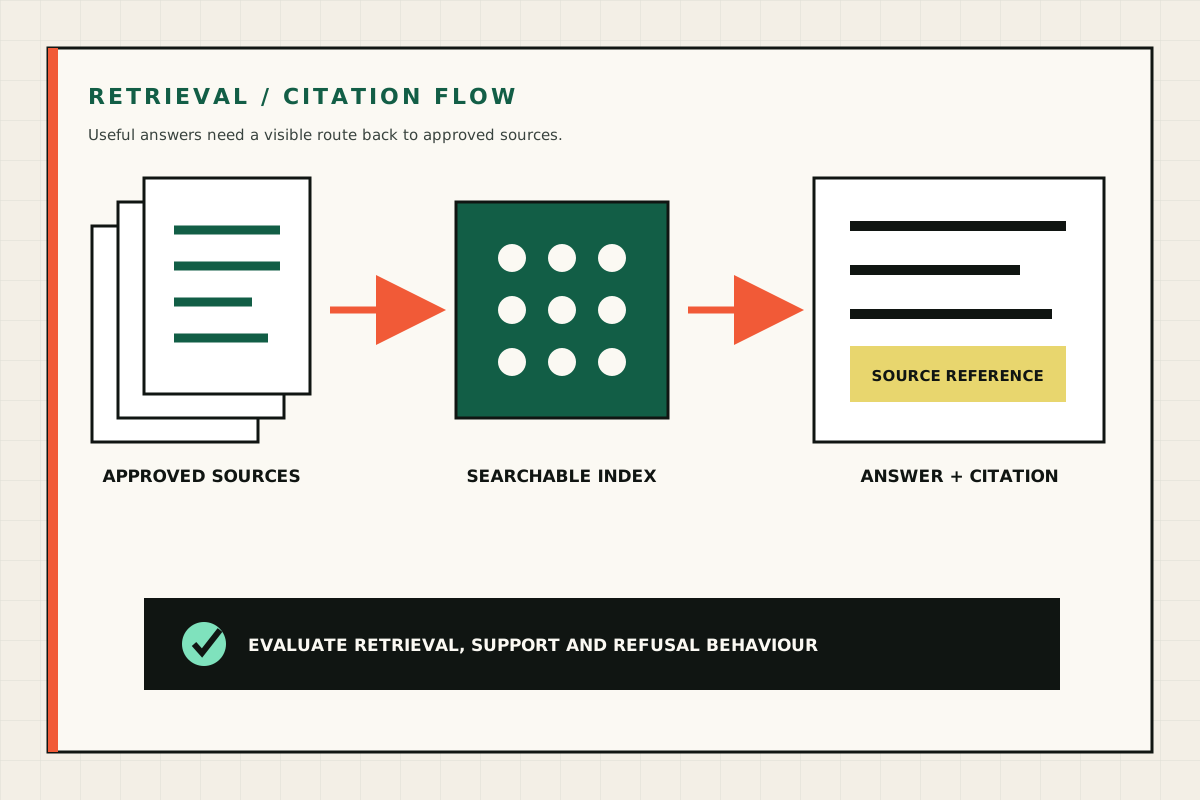
Diagram showing approved documents moving through a searchable index to an answer with a source citation
A retrieval workflow should connect each useful answer to approved source material and defined refusal behaviour. GPU Servers technical illustration.
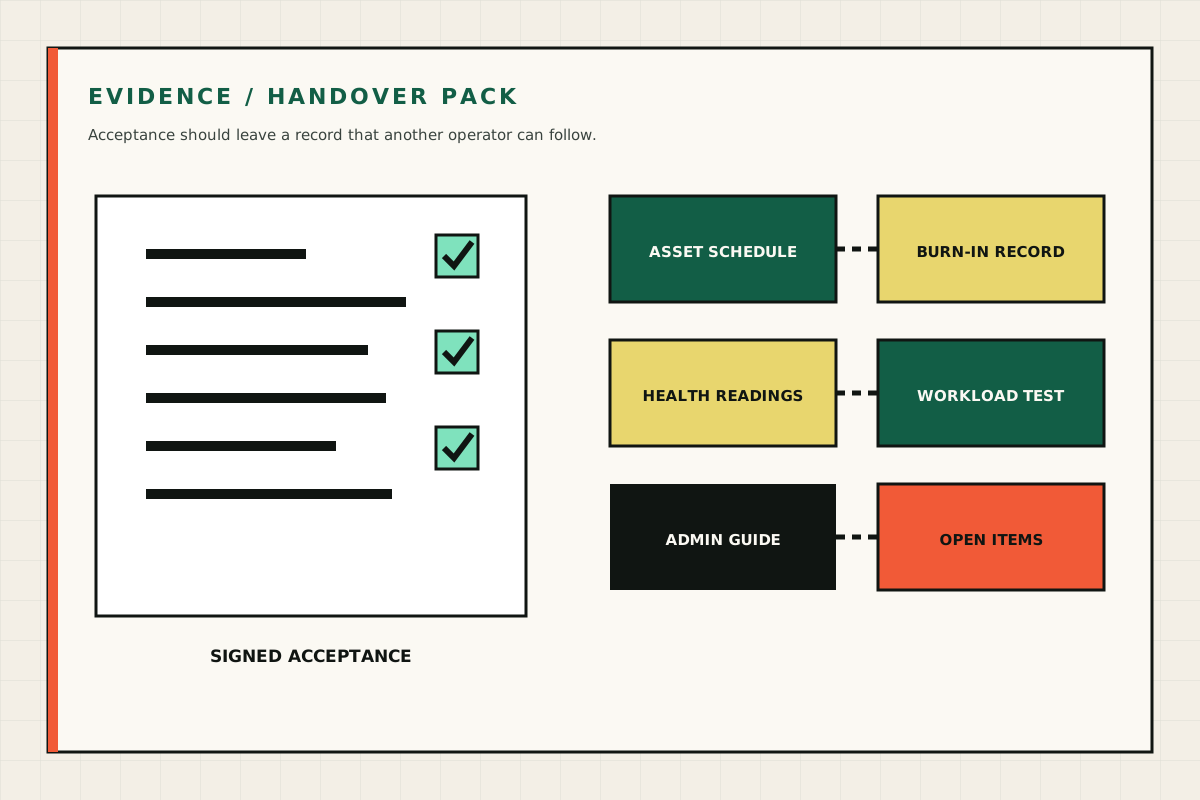
Diagram of an evidence pack containing an asset schedule, burn-in record, health readings, workload test and admin guide
A complete handover includes the supplied assets, test results, operating instructions and agreed follow-up work. GPU Servers technical illustration.